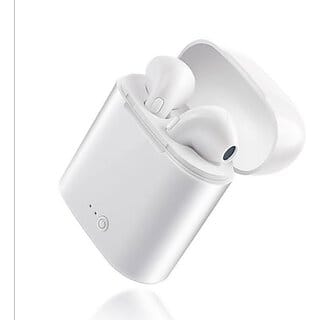

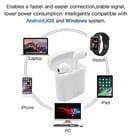
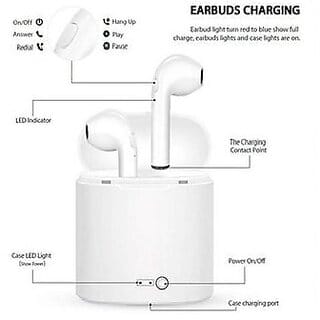
Both or single use as your need. HOW TO PAIR? Single Pairing 1.For initial use, press and hold the button for 3 seconds of either earbud and release after the LED flashes between Red and Blue. (Voice Notice: Power on - Paring) 2.Open the mobile ph...
Read MoreWireless Bluetooth Earbuds With Mic, White
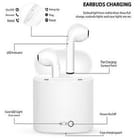
Both or single use as your need. HOW TO PAIR? Single Pairing 1.For initial use, press and hold the button for 3 seconds of either earbud and release after the LED flashes between Red and Blue. (Voice Notice: Power on - Paring) 2.Open the mobile phone bluetooth and search Headset, then connect it. 3.Pairing the earphone with your mobile phone, the product will be in standby status after pairing completed, Blue LED flashes 5 seconds each time. (Voice Notice: Connected)Twins Pairing Press and hold the function button of the other earbud (slave earbud) for 1s, release after LED flash in Red, two earphones will automatically pair with each other, and the LED flashes in Blue after connected.
| Country of origin | India |
|---|---|
| brand | UNV |
| connectivity | Wireless |
| returnable | yes |
| cancellable | yes |
| contact details consumer care | Shopclues,[email protected],01244414888 |
| return window | 10 days |
| manufacturer or packer name | NA |
| manufacturer or packer address | NA |
| common or generic name of commodity | Headphones & Earphones |
| month year of manufacture packing import | NA |
| imported product country of origin | IN |
| seller pickup return | yes |
| time to ship | 3 days |
Other Products from seller Ditya Enterprises
₹249₹999 ( 75% OFF )
₹419₹999 ( 58% OFF )
₹149₹1,599 ( 91% OFF )

₹509₹1,299 ( 61% OFF )
₹219₹599 ( 63% OFF )
₹319₹699 ( 54% OFF )
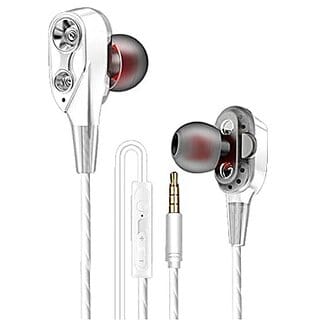
₹199₹599 ( 67% OFF )
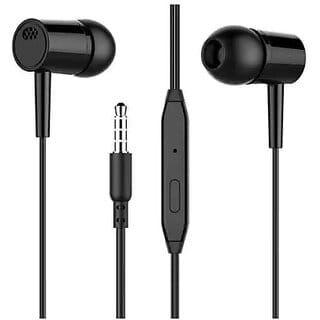
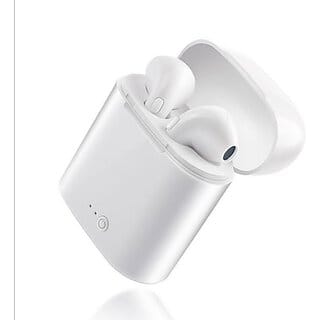
₹319₹799 ( 60% OFF )
Check Estimated Delivery Date

Sold By: Ditya Enterprises
Vendor Source:Shopclues
Distance: 16.2 km